How it works
From first expense to all square in four steps
Here’s what using SplitBank actually looks like, from creating a group to paying each other back.
01
Create a group or add friends
Sign up with email or Google — or try it without an account. Then create a group and choose its type: trip, home, couple or other.
Add members from your friends list or by email, or copy the group’s invite link into your group chat. Anyone who opens it can join.
More about groups and friends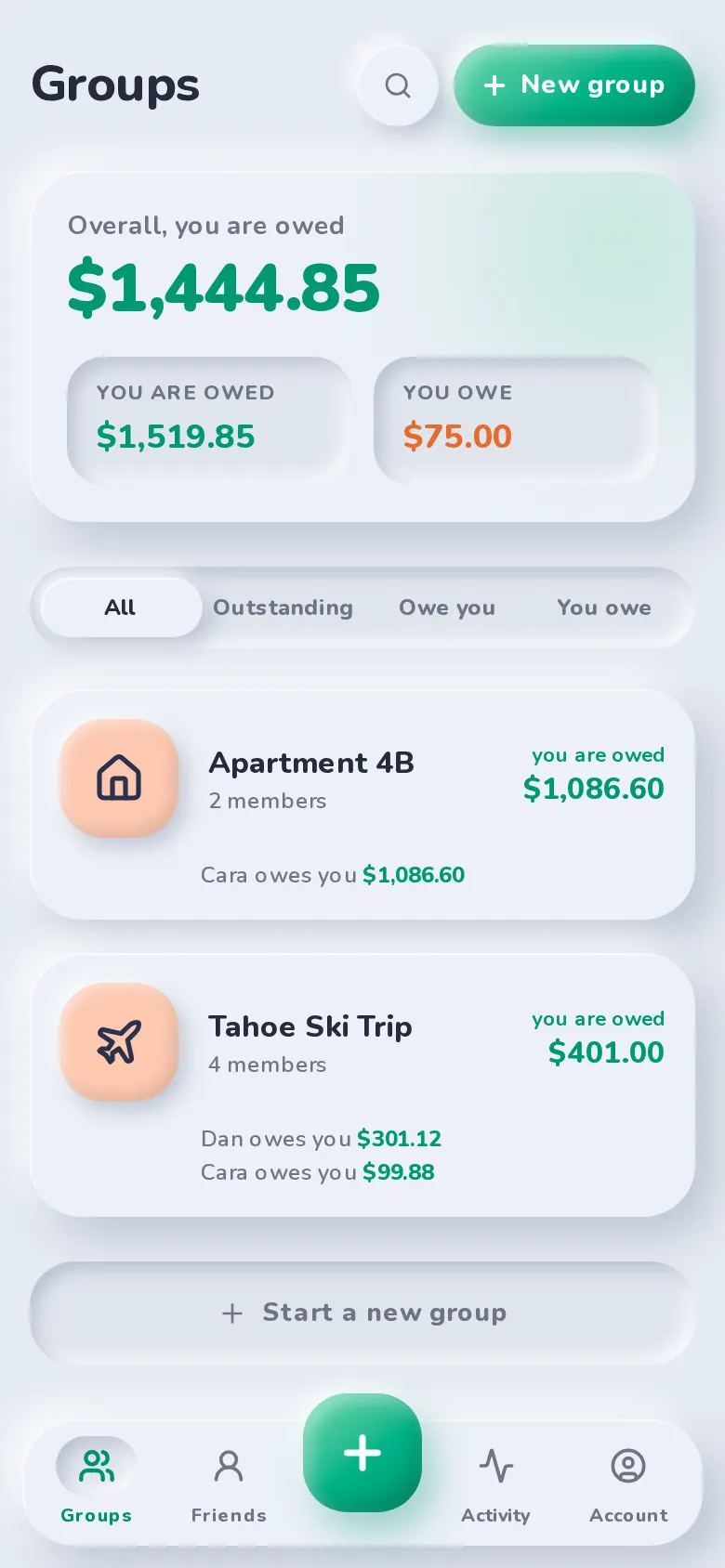
02
Add expenses as they happen
Tap the plus button, enter a description and amount, and pick who paid. SplitBank guesses a category from the description.
Everyone in the group is included by default. Untick anyone who wasn’t part of it, and add a date or a note if it helps.
More about adding expenses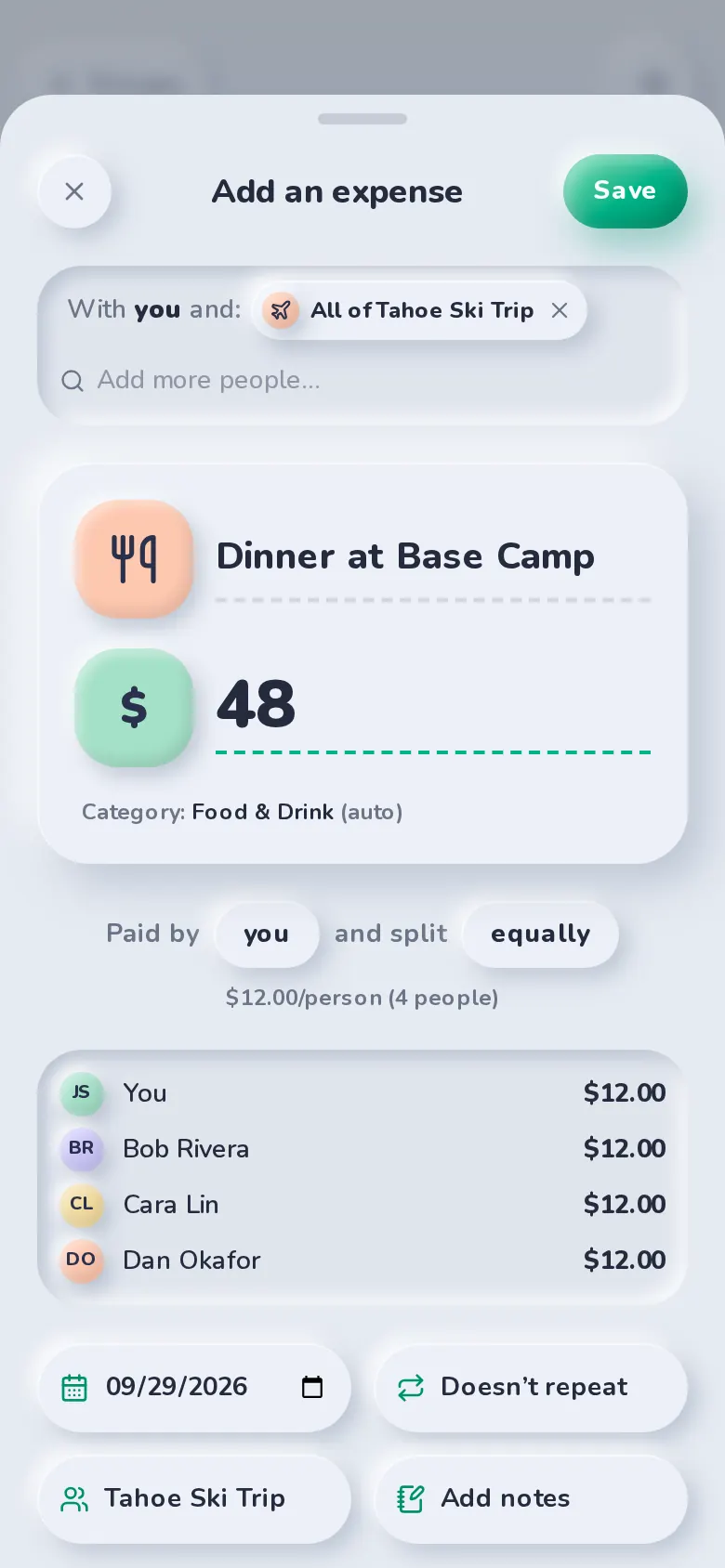
03
Split it your way
Split equally, by exact amounts, by percentage, by shares or with adjustments. Each person’s amount is shown before you save, and a split that doesn’t add up can’t be saved.
Rent or a subscription? Set the expense to repeat weekly, every two weeks, monthly or yearly.
More about recurring expenses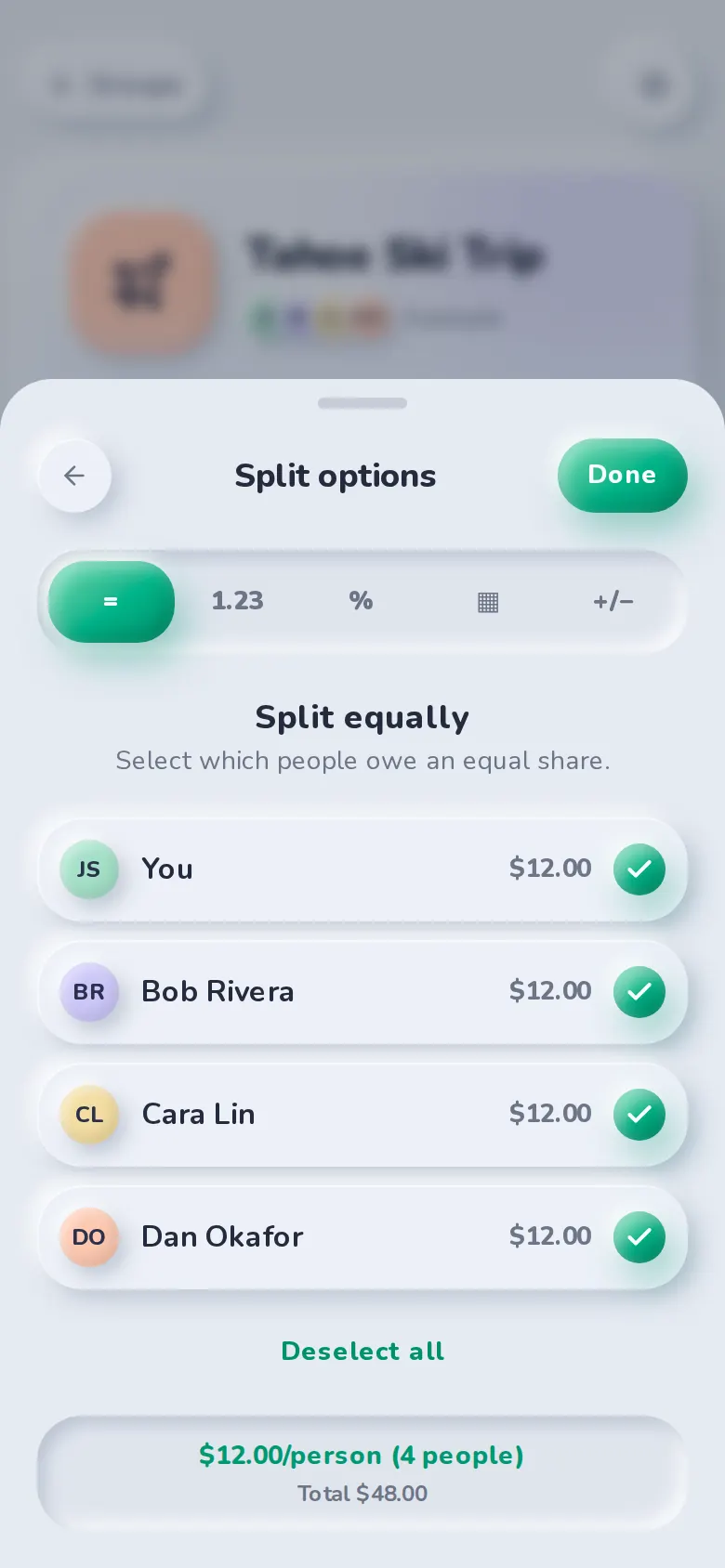
04
See balances and settle up
Balances update the moment an expense is saved. With simplify debts on, SplitBank works out the fewest payments to square the group.
Tap Settle up to pay with Venmo, Cash App or PayPal with the amount filled in, copy Zelle details, or record a cash payment.
More about settling up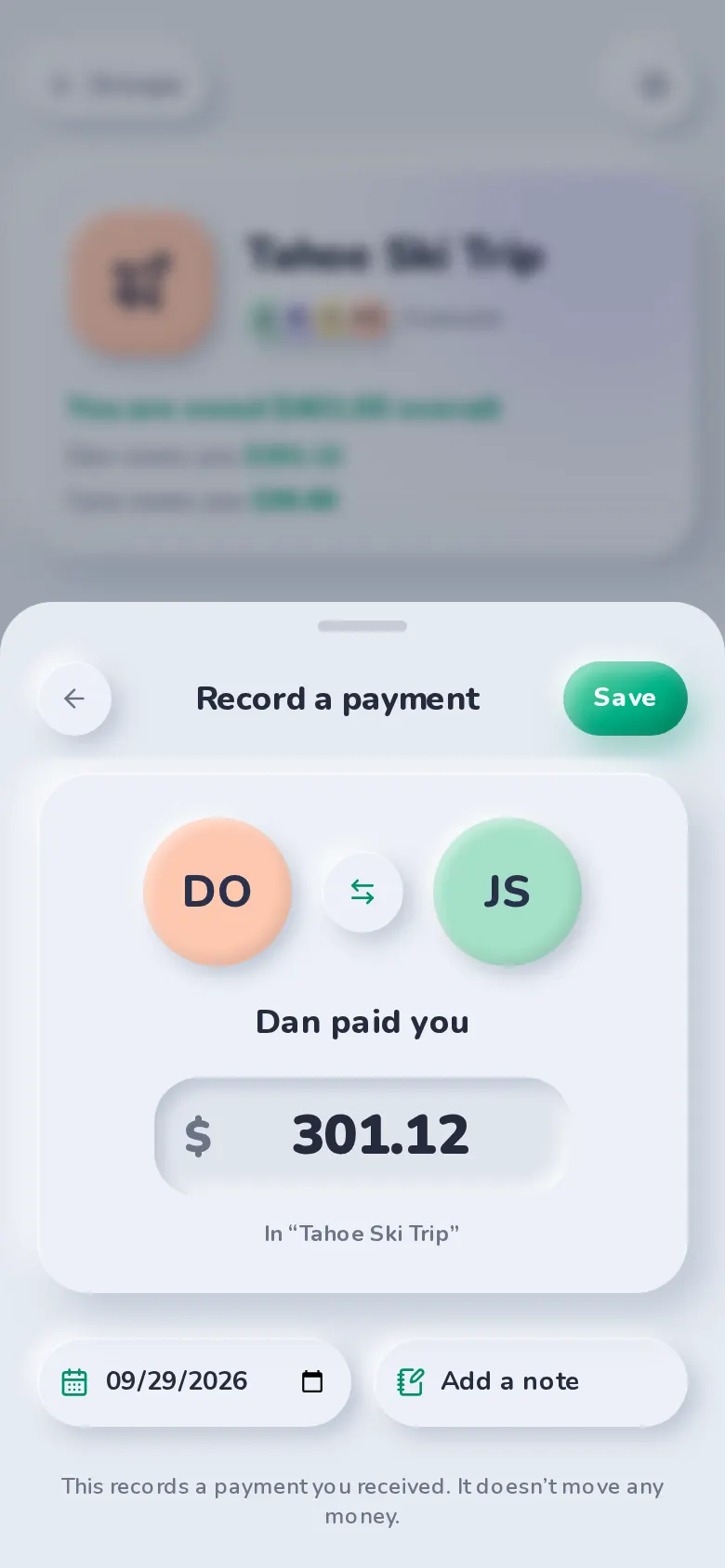
FAQ
Before you start
Yes, really. No subscription, no premium tier, no “Pro”. Unlimited expenses, groups, charts, CSV export and settle up are all included. We looked for a catch. There isn’t one.
No. You add expenses yourself in a few taps — there’s nothing to link and no bank details to share.
From Settle up they can open Venmo, Cash App or PayPal with the amount already filled in, copy your Zelle details, or record a cash payment.
SplitBank runs in your browser on any phone or computer. On your phone you can add it to your home screen and it opens like an app.
No. Create your account with a passkey — Face ID, Touch ID, Windows Hello or your phone’s screen lock. A recovery code backs it up, and adding an email is optional.
Yes. Choose “Try without an account” to start with just your name. You’ll get a recovery code to keep, and can add a passkey any time to sign in on your other devices.
Splitting rent or a trip? Read how to split rent fairly or how to split group trip costs.
Start splitting in under a minute
Free to use, with no subscription or credit card. Invite your group and add your first expense today.