Groups & friends
Groups for the people you share with most
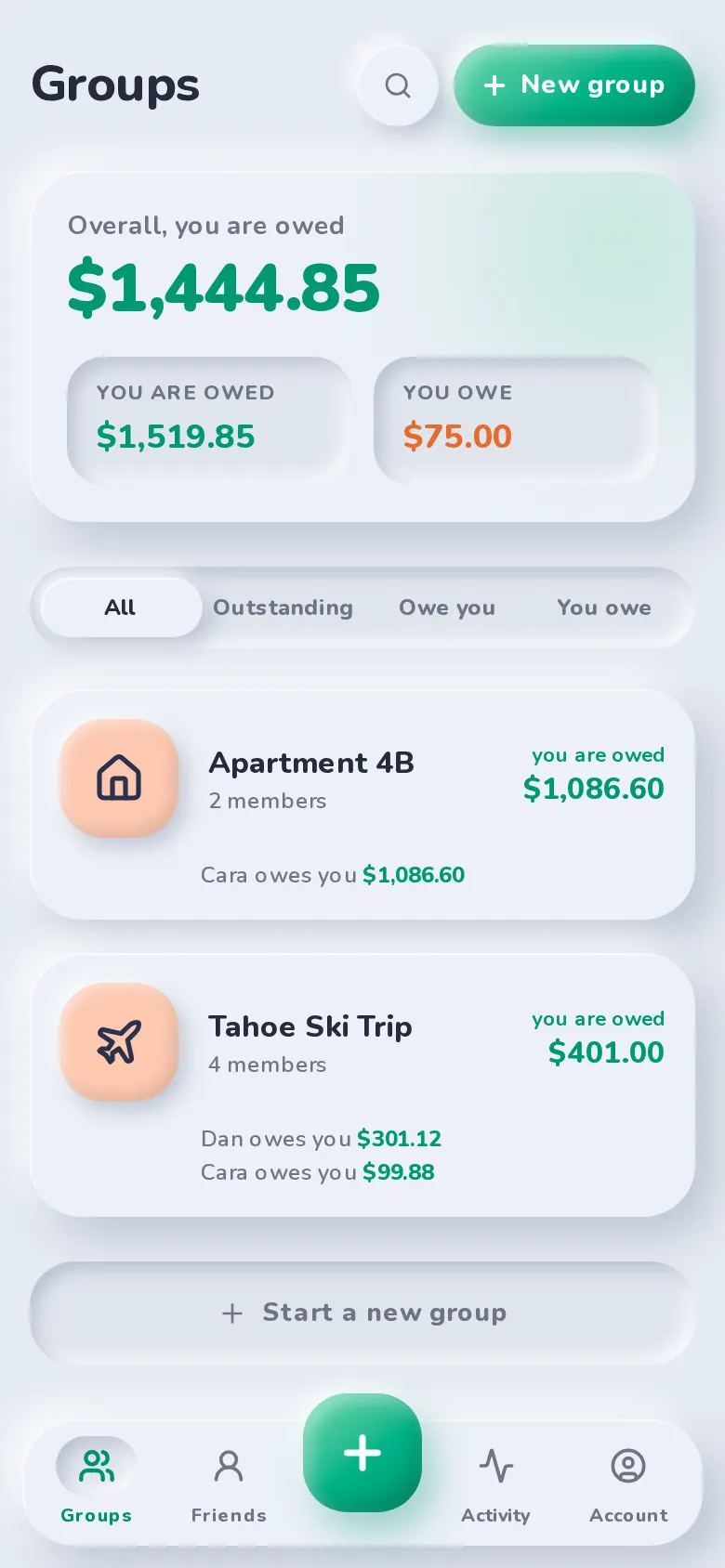
Make a group for your flat, your trip or your partner and keep its expenses together. Or skip the group and split a one-off bill with a friend. Either way, SplitBank keeps a running balance with everyone.
Groups with a purpose
Pick a type — trip, home, couple or other — add members from your friends or by email, or share an invite link anyone can join.
One balance per person
Your friends list shows what each person owes you (or you owe them) across every group, with a breakdown of where it comes from.
Everything in one place
Each group has its own expense list, search, balances, totals, charts and CSV export. Archive a group when the trip is over; it stays out of the way but nothing is lost.
Popular with
Who uses groups & friends
FAQ
Groups & friends: common questions
No. Add someone to a group by name and split with them straight away. When they’re ready, send them their link: they sign up and the spot, with every expense and balance, becomes theirs. Or share the group’s invite link and they join with their own account.
Yes, once your balance in that group is settled. SplitBank blocks leaving (or removing someone) while money is still owed so nothing gets lost.
Related
Simplify debts
Combine debts so the group settles with the fewest payments.
Learn more about simplify debtsSettle up
Pay with the apps you already use, or record cash.
Learn more about settle upFlexible splits
Equal, exact, percentage, shares or adjustments — with live per-person totals.
Learn more about flexible splitsGuide · 4 min read
Debt simplification explained, with examples
Read the guide: Debt simplification explained, with examples
Start splitting in under a minute
Free to use, with no subscription or credit card. Invite your group and add your first expense today.