Flexible splits
Split any bill the way your group actually shares it
Not every bill divides neatly. SplitBank lets you split an expense equally, by exact amounts, by percentage, by shares or with adjustments — and shows each person’s share before you save.
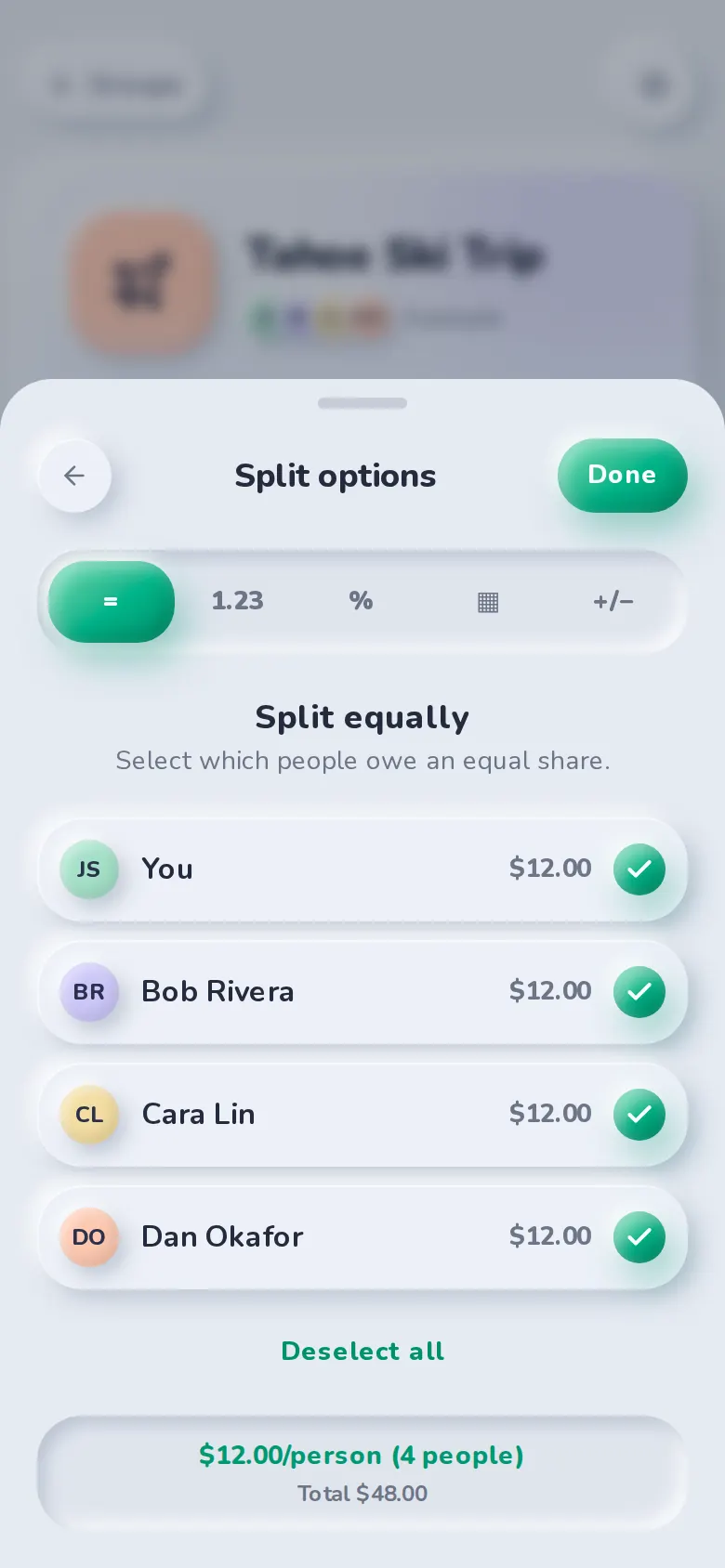
Five ways to split
Pick the method that matches the situation. The per-person amounts update as you type, and SplitBank won’t save a split that doesn’t add up to the total.
- Equally — tick who’s in; the total is shared evenly down to the cent.
- Unequally — enter exactly what each person owes.
- By percentage — useful for income-based splits.
- By shares — two nights vs. one night, or two adults and a child.
- By adjustment — split equally, then add or subtract for extras someone ordered.
Paid by anyone
Choose who paid — you or anyone in the group. Balances are worked out from who fronted the money and who owes a share.
Details that save arguments later
Every expense can have a date, a category (guessed from the description), notes and a comment thread. Anyone involved can edit it, and the page shows who last changed it.
Popular with
Who uses flexible splits
FAQ
Flexible splits: common questions
Yes. Open the expense and tap Edit. You can change the amount, who paid, the split method and who is included, and balances update immediately.
SplitBank rounds to the cent and hands the leftover cents to specific people so the shares always add up to exactly the total.
Not yet — each expense has one payer. For now, add it as two expenses, one for each person who paid.
Related
Groups & friends
Trip, home and couple groups, plus friend-to-friend balances.
Learn more about groups & friendsSettle up
Pay with the apps you already use, or record cash.
Learn more about settle upRecurring bills
Weekly, fortnightly, monthly or yearly — added automatically.
Learn more about recurring billsGuide · 6 min read
How to split rent fairly with roommates
Read the guide: How to split rent fairly with roommatesGuide · 5 min read
How to split expenses on a group trip
Read the guide: How to split expenses on a group trip
Start splitting in under a minute
Free to use, with no subscription or credit card. Invite your group and add your first expense today.